
What is Studily
What Studily is, why it was built, and everything it gives you in one place.
What is Studily
Studily is an all-in-one student platform with the tools students use every day. It combines several apps into one place, so learning is easier and more accessible.
Accessibility. Studily believes that learning should be accessible. Studily accepts donations to keep it running, but we built the app to make student life easier, not to put it behind a paywall. Learn how you can support Studily.
What does Studily give
- DashboardYour week in one place
- CalendarAssignments, exams and events
- ImportsCanvas, Brightspace, Moodle, Google
- CoursesSchedule, deadlines and grades
- Study sessionsTimed focus with rewards
- FlashcardsMake, generate and play
- StudilyBotAI help from your course files
- ProfileCustomize with cosmetics
- FriendsFind your schoolmates
Plan
Dashboard
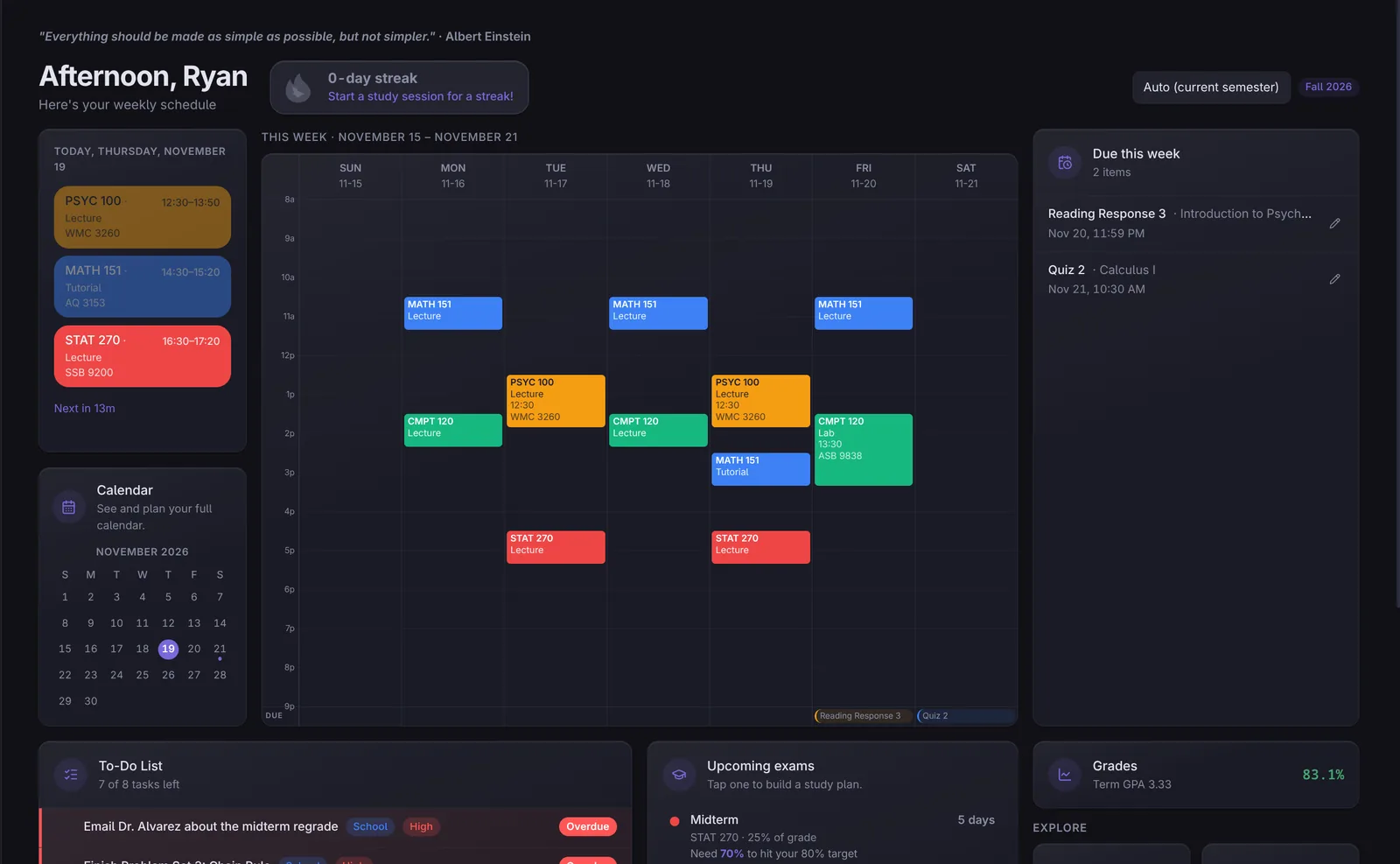
The dashboard shows your schedule, calendar, to-dos and upcoming deadlines, all in one place.
- Set everything up by hand, or
- Add your school schedule and course outlines and let Studily do it for you
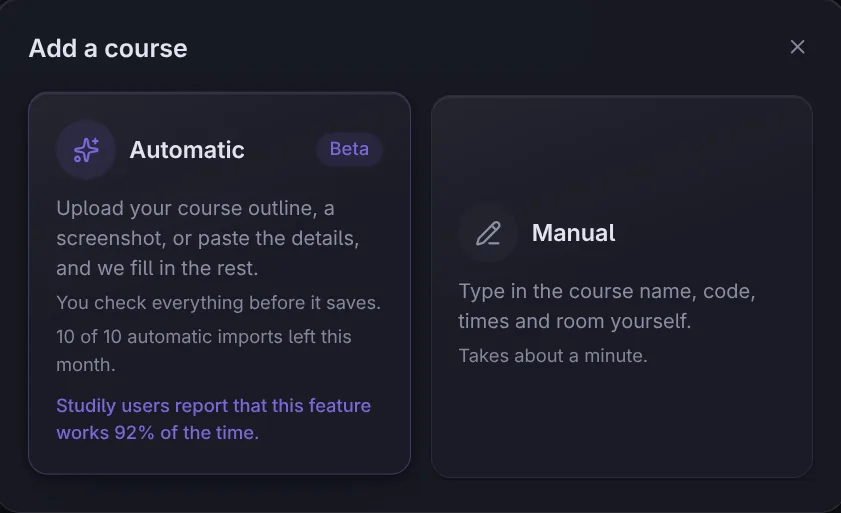
Adding a course
- Automatic: upload your course outline, a screenshot, or paste the details, and Studily fills in the rest. You check everything before it saves.
- Manual: type in the course name, code, times and room yourself.
Plan
Calendar
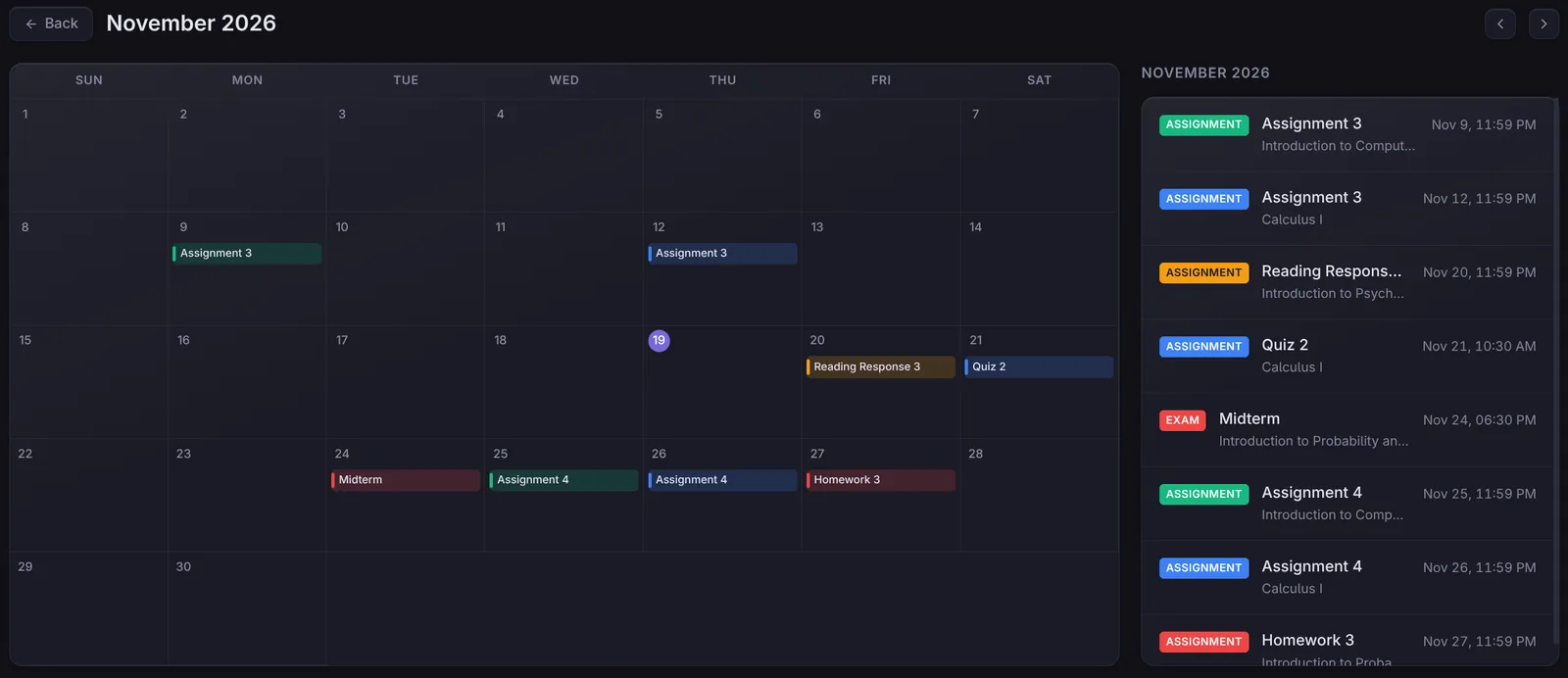
Keep track of assignments, exams, or general events, just like in a regular calendar.
- Assignments and exams show up with their course colour
- When you upload your assignments, Studily puts them on the calendar automatically
Plan
Canvas, Brightspace, Moodle and Google Calendar
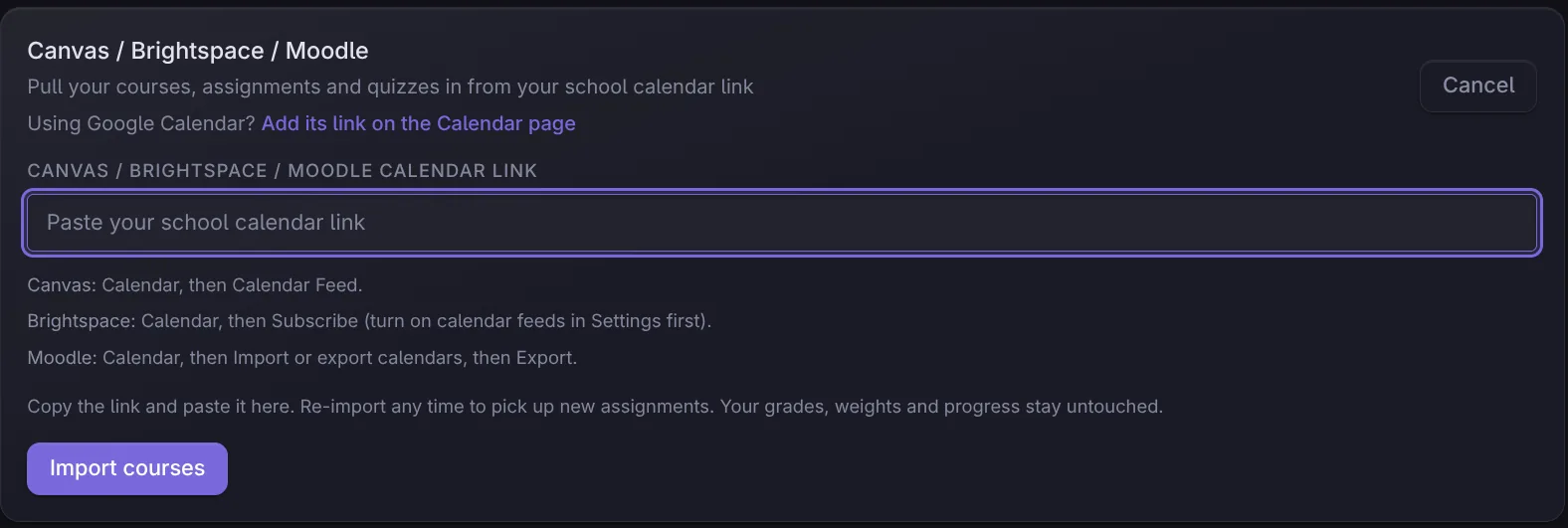
Studily can keep your calendar up to date for you. Paste the calendar link from Canvas, Brightspace (D2L) or Moodle, and Studily imports your assignments and exam dates.
- You stay in control. Imports are reviewed before anything is saved. Merge into a course you already have, add it as new, or skip it. If a date clashes, choose to add it anyway, replace it, or skip it.
- It keeps updating. Studily checks your link in the background, sends a notification when something new shows up, and tells you when a deadline is moved or renamed.
- Google Calendar works too. Paste your calendar's private iCal link the same way. Its events show up in Studily, and events you delete in Google disappear from Studily as well.
Plan
Semesters and courses
Add your courses to track your schedule, deadlines and grades.
- See your average, GPA and progress for every course in a semester
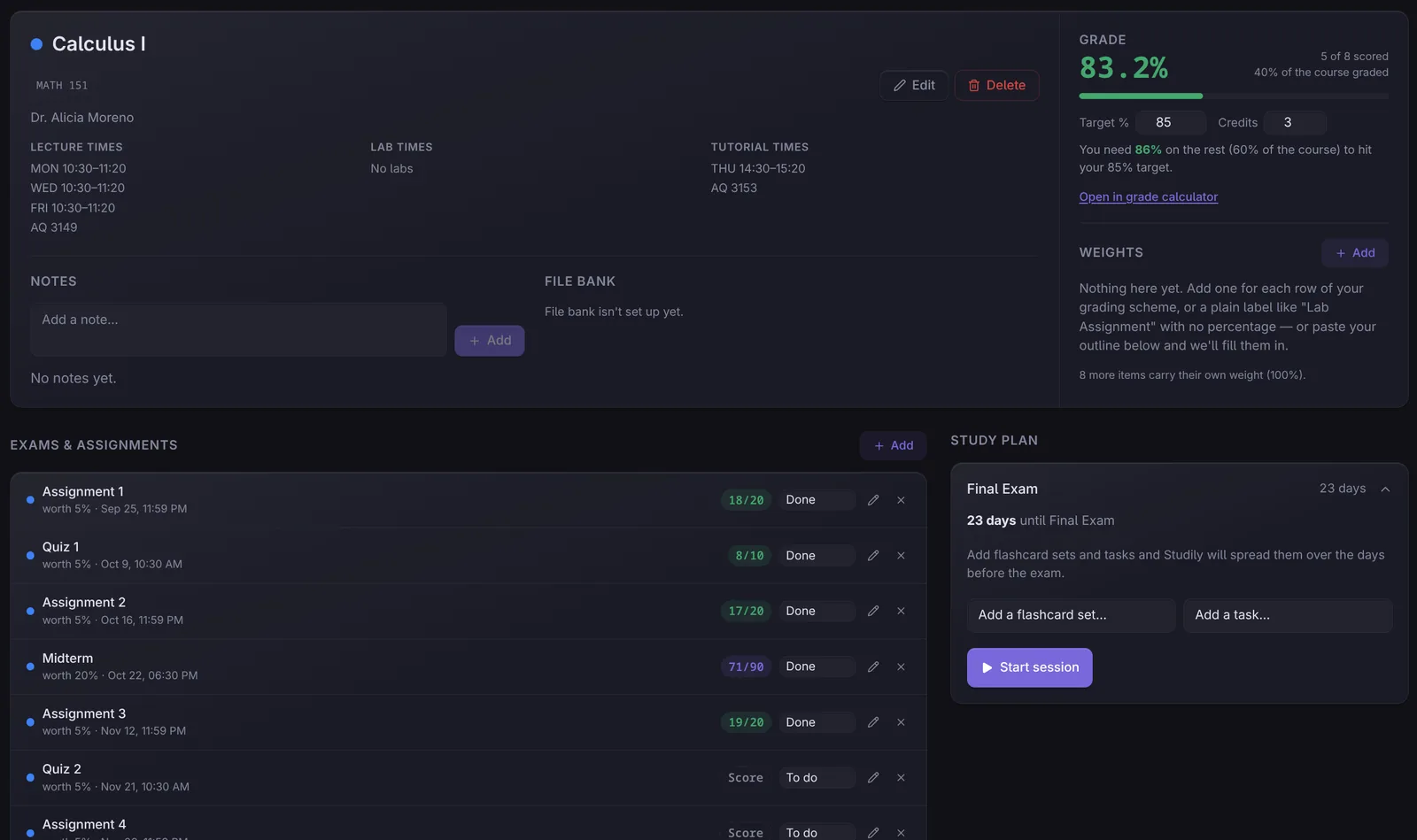
- Set a target grade and see what you need on the rest of the course to reach it
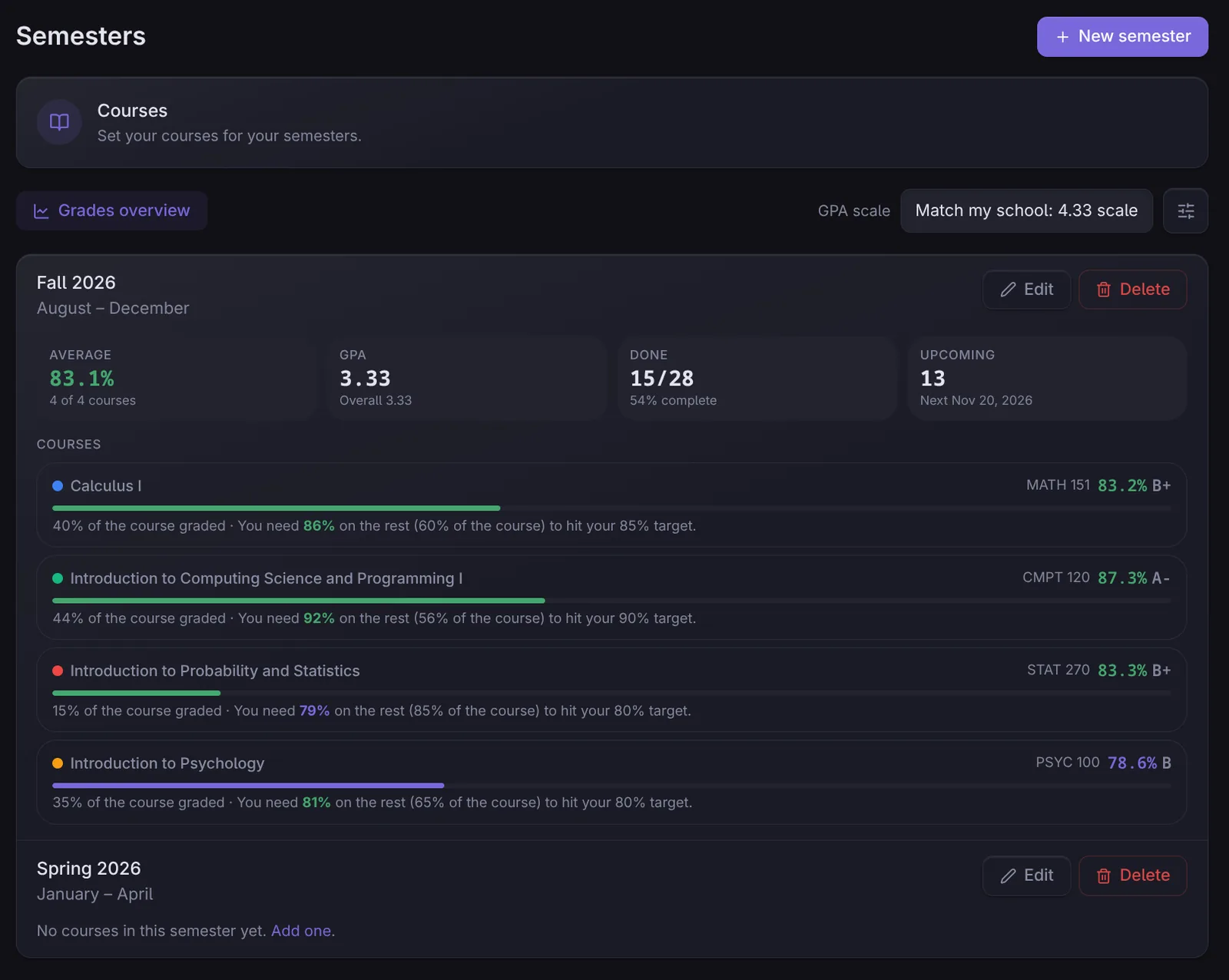
Enter your scores in the assignments tab and Studily keeps your grade up to date.
- Upload a course outline to scan and import your assignments and grade weights
- Each course keeps its lecture, lab and tutorial times, exams, assignments and a study plan
Study
Study sessions
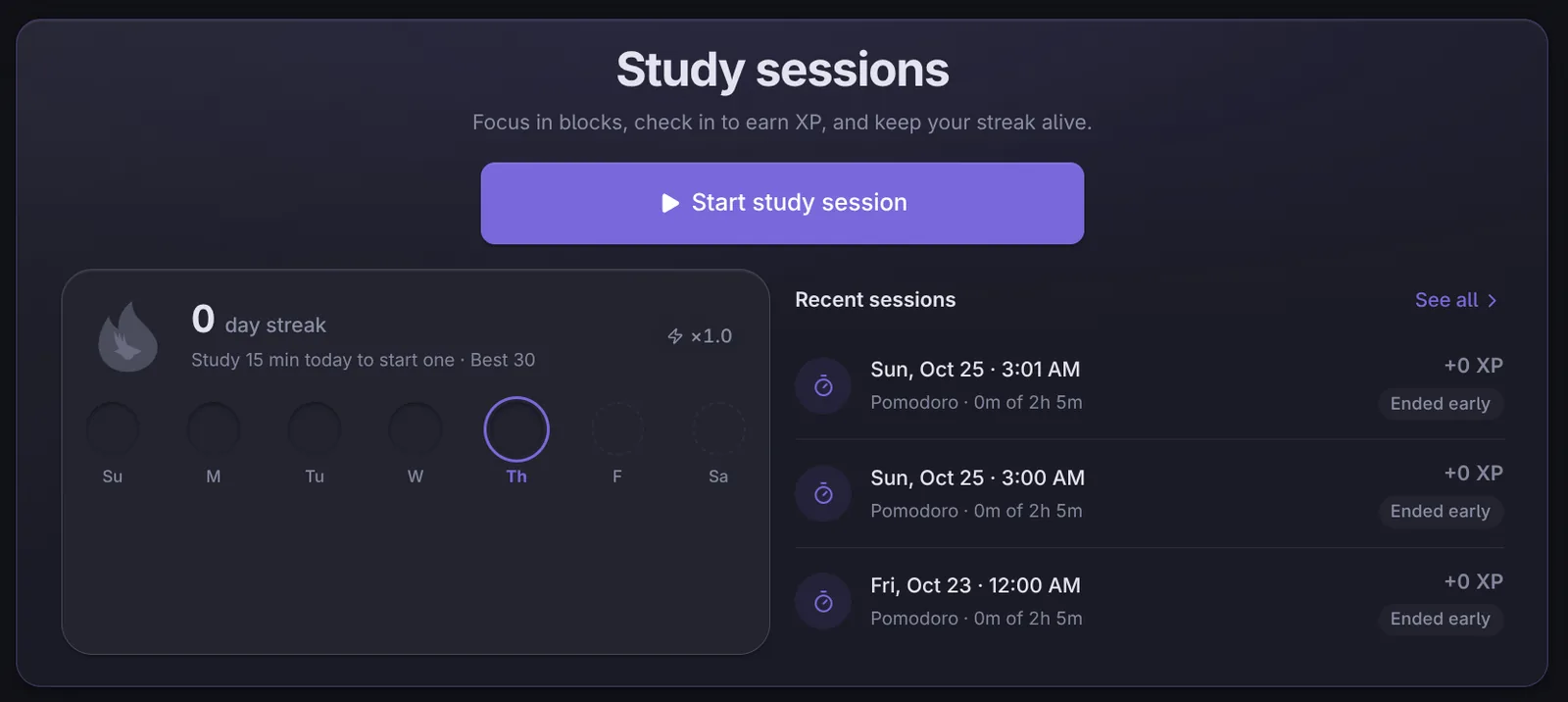
Time your study sessions effectively and earn rewards for them.
- Focus in blocks, check in to earn XP
- Keep your streak alive
- Pomodoro-style sprints and breaks
Study
Flashcards
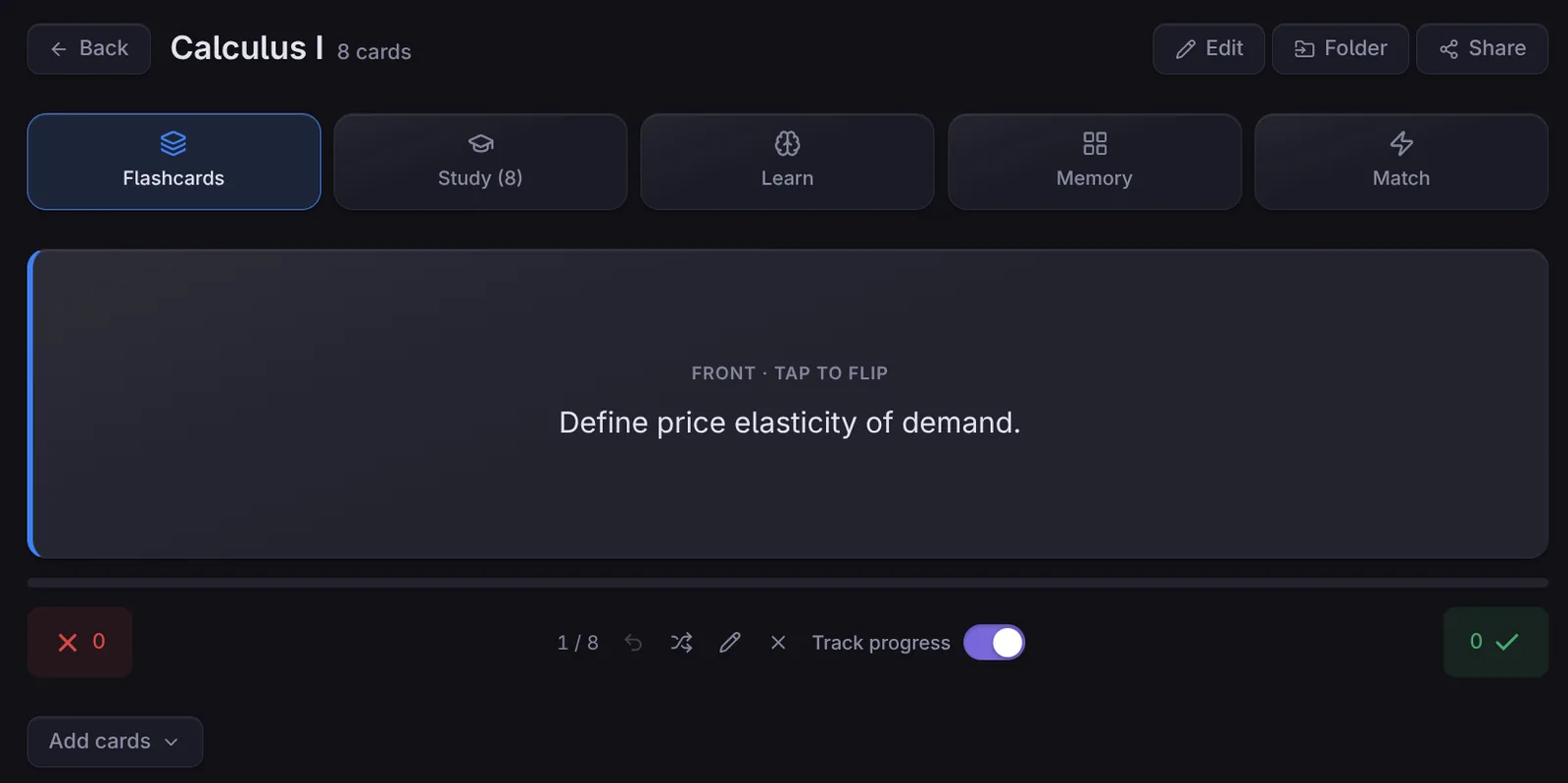
Set up flashcards manually, or generate them automatically from your lecture notes.
- Study, Learn and Memory modes
- Match minigames to make reviewing fun
- Track your progress as you go
Study
StudilyBot
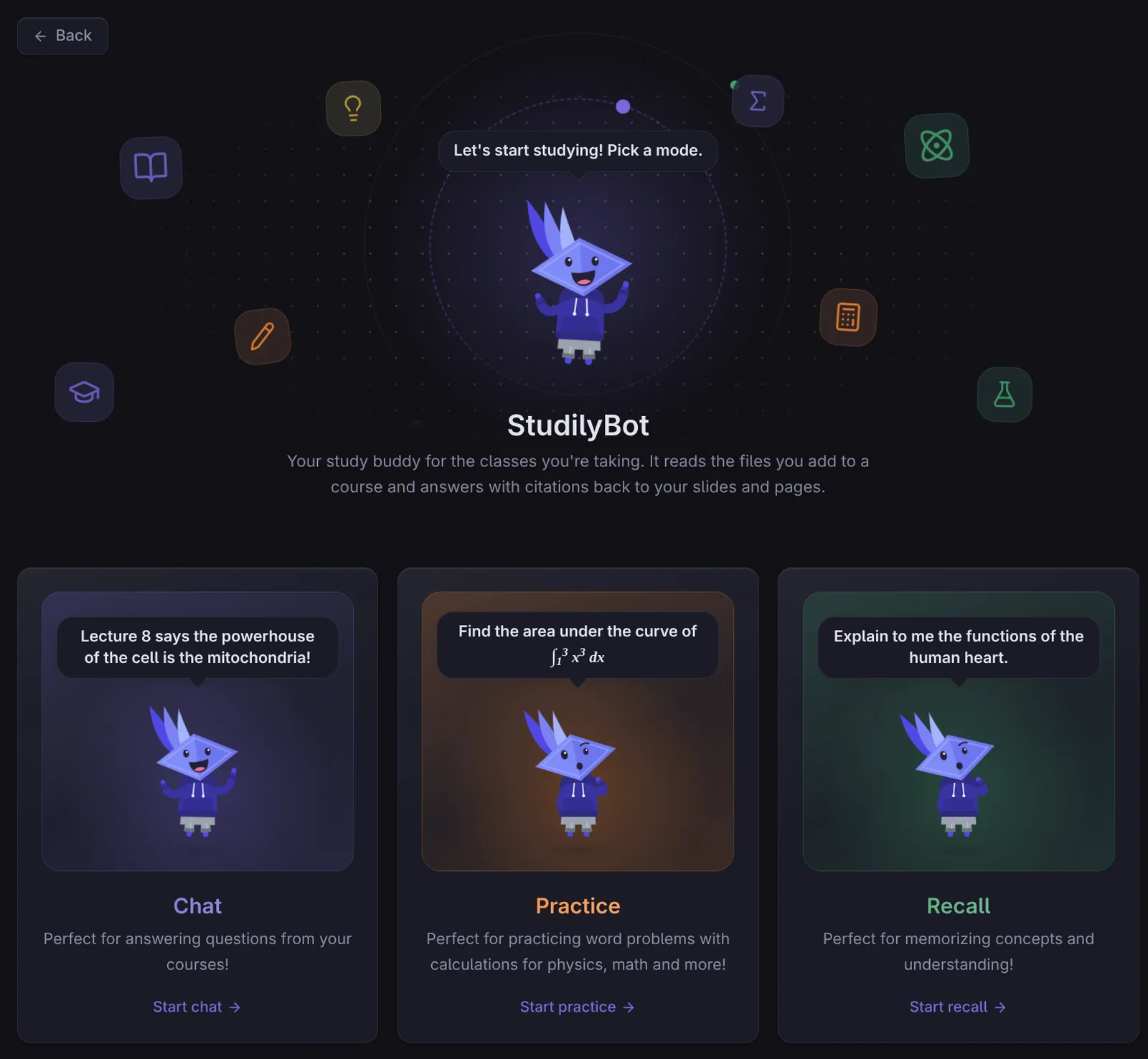
Use AI to help your learning. StudilyBot reads the files you add to a course.
- Chat: ask questions about your courses
- Practice: generate practice questions
- Recall: explain concepts back to StudilyBot to check that you understand
Answers with citations
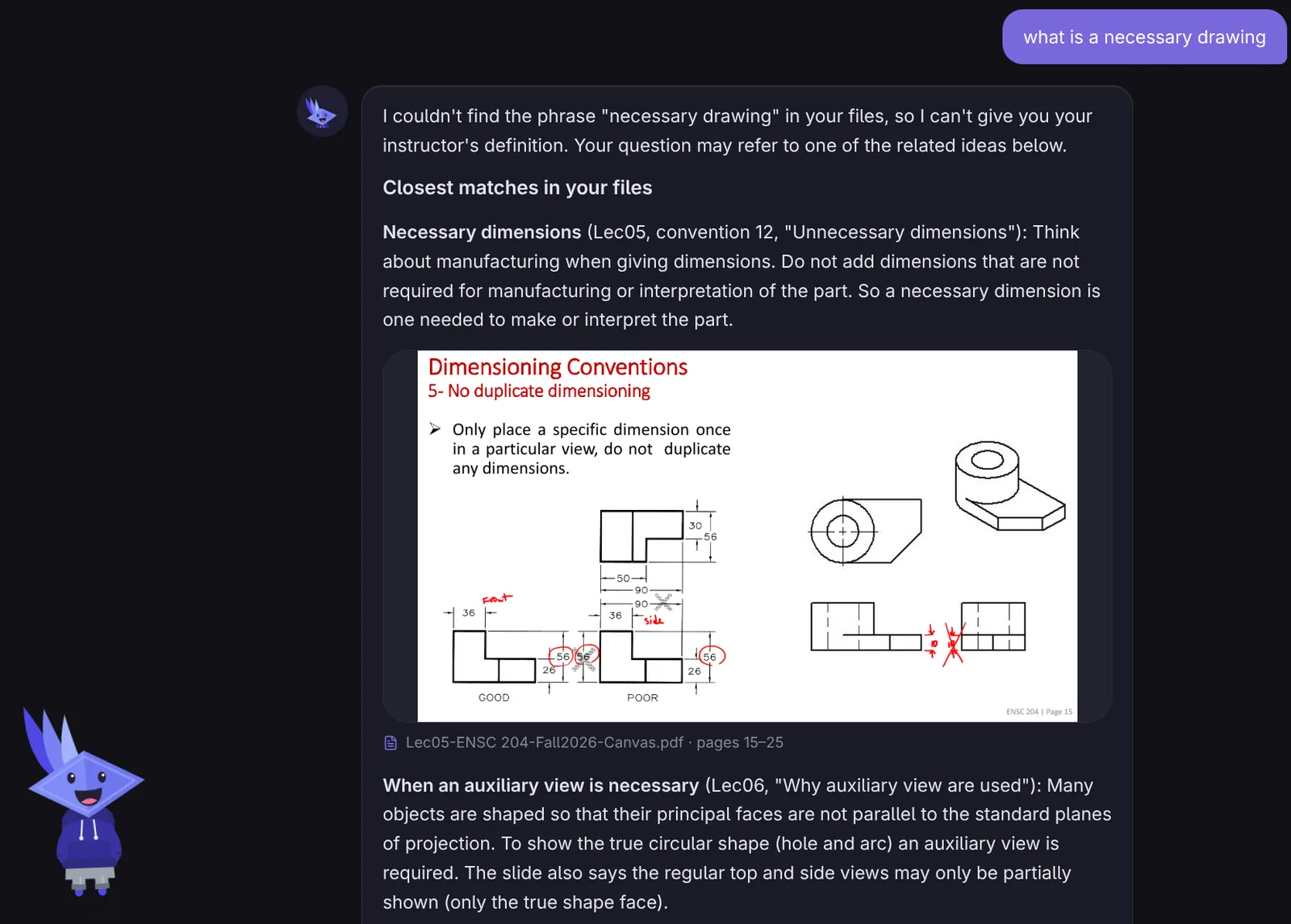
StudilyBot answers with citations back to your slides and pages, so you can check where an answer came from.
Connect
Profile
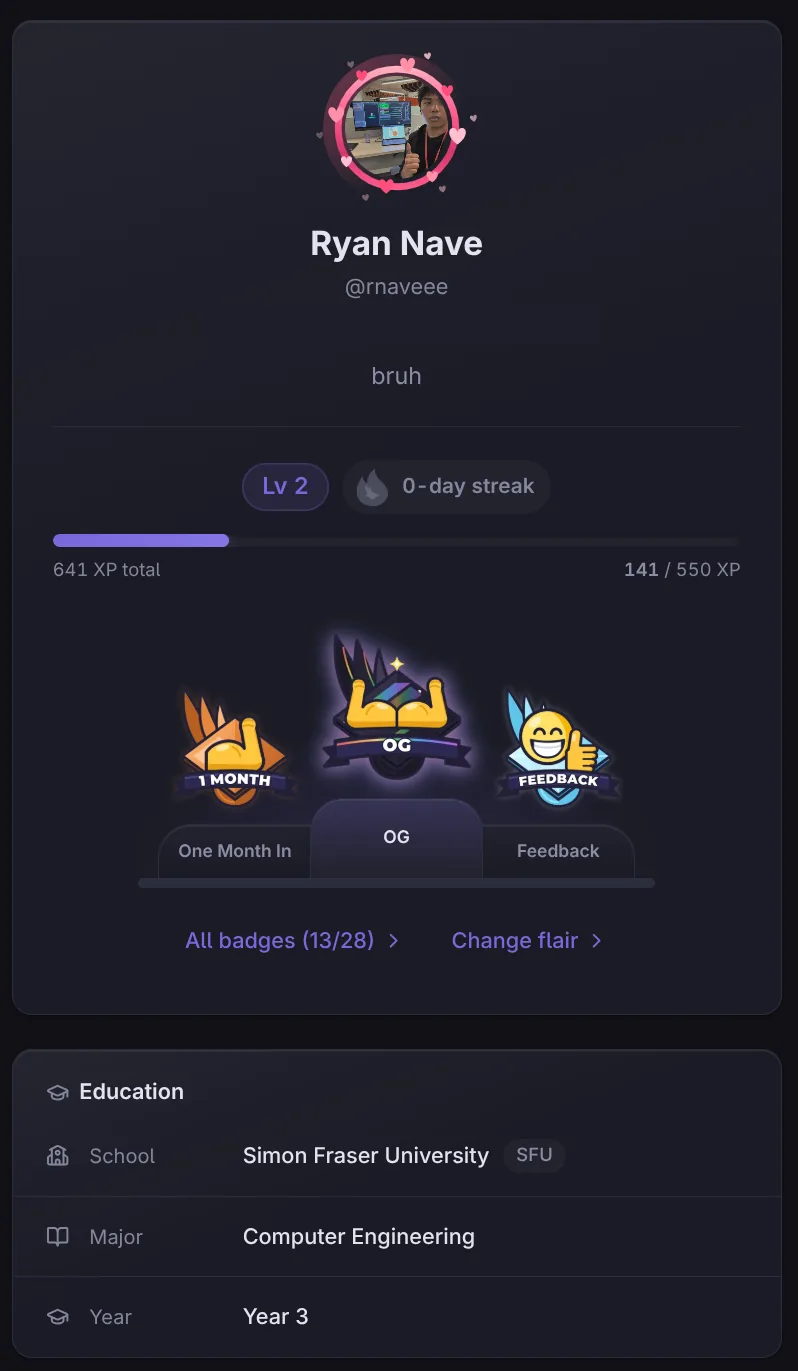
Set up a profile that other users can see, and customize it with cosmetics you buy with the coins you earn.
- Show off your level, streak and favourite badges
- Spend coins on flairs, badges and StudilyBot attire

Connect
Friends
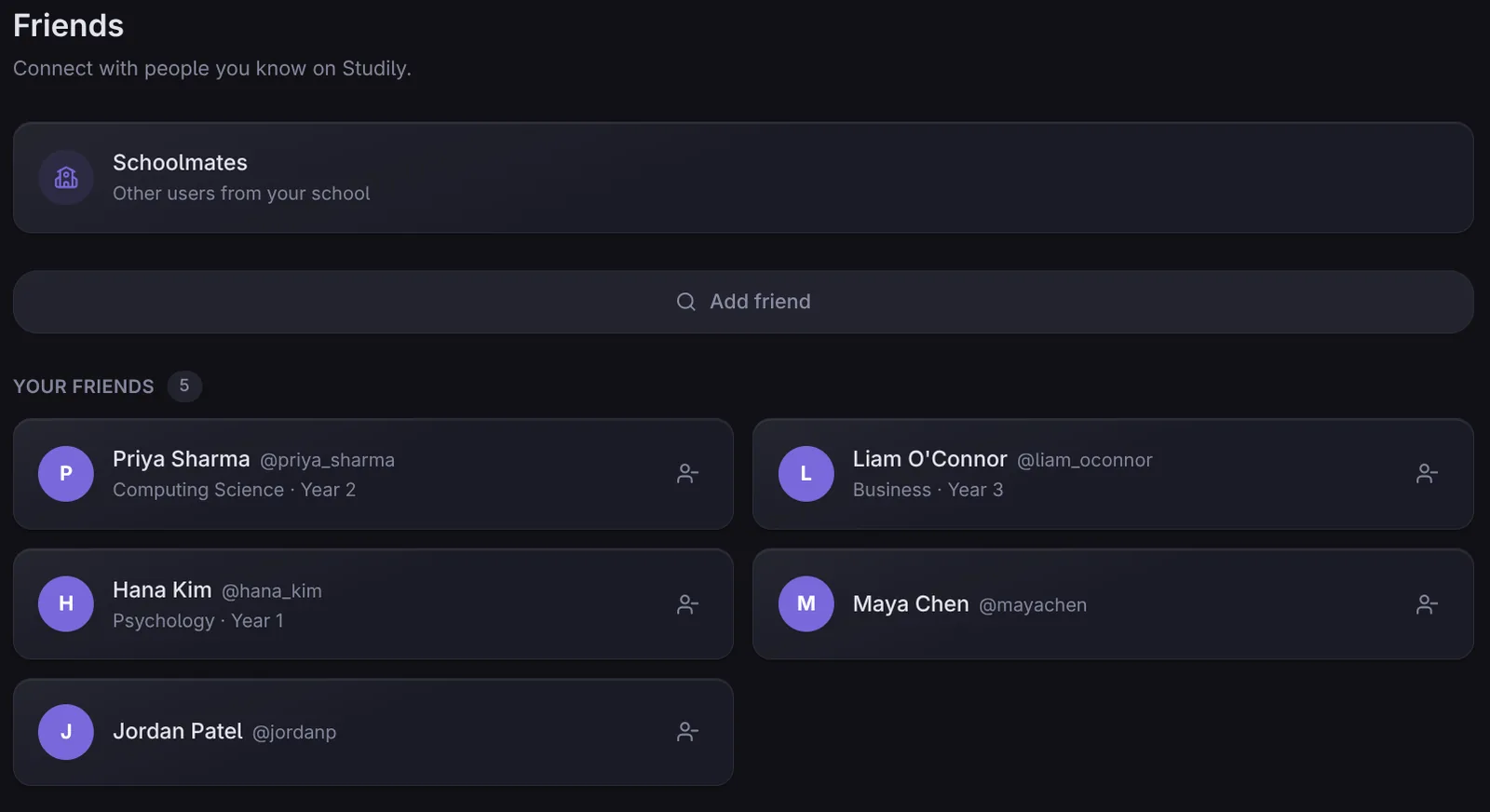
Add your friends, and find other Studily users at your school.
- Keep your friends in one list and chat with them
- Browse schoolmates to connect with
Conclusion
We built Studily to make learning more accessible and keep it all in one place. If you haven't yet, create a free Studily account and try it all out.
Create a free account